Charging & technology
Why wireless charging is slow: seven checks
Slow charging does not automatically mean a faulty charger. Small comparisons, with one change at a time, can reveal more than replacing several parts at once.
Türkçe oku ↗
Confirm the charging indicator and alignment, then check the case, power supply and operating conditions. Battery percentage alone is not a measurement of charging power.
1. Establish the expected behaviour
Start with what this particular phone and charger support together. The maximum in an advertisement may apply to another phone or a specific adapter. Note the phone model, charger model and required power supply.
Charging behaviour can change as the battery fills. Comparing sessions that begin at very different percentages can mislead you. The percentage shown on screen does not measure the power drawn from the charger; these checks help narrow a problem, not produce laboratory results.
2. Check the indicator and alignment
Does the charging indicator appear immediately, and does it stay on? Position the phone as the manufacturer specifies. Watch for movement caused by notification vibrations. Waiting without confirming that charging has started can hide a simple placement problem.
A camera bump or the stand’s support may stop the phone sitting correctly. Do not press it into place by force. Magnetic attachment and reliable charging alignment are not interchangeable guarantees.
3. Test the case separately
Apple’s wireless charging guidance discusses thick, metal and battery cases and advises against placing objects between the phone and charger. If the manufacturer permits it, compare operation without the case while keeping the phone safely supported.
Record any wallet, metal plate or grip you use. If the problem appears only with one accessory, investigate that accessory before replacing the charger.
4. Check the adapter and cable
A connector fitting physically does not mean its adapter supplies the required power profile. Use the recommended power supply and an appropriate undamaged cable. Follow the specified connection arrangement instead of testing through an unfamiliar USB hub.
For multi-device chargers, read how power is shared during simultaneous use. A change when another device is added does not by itself prove a fault. Replace damaged or loose connections with suitable equipment before continuing.
5. Consider temperature and phone use
Direct sunlight, a covered charging surface or intensive phone use can affect conditions. Apple notes that software may limit charging when the phone becomes too warm. Follow temperature warnings; do not cover equipment or try cooling it in a refrigerator. Stop using equipment with unusual heat, smell, swelling or physical damage and seek service support.
For a useful comparison, turn the screen off and keep usage similar. Gaming or video calls consume energy while charging, so a slower rise in battery percentage does not isolate charger performance.
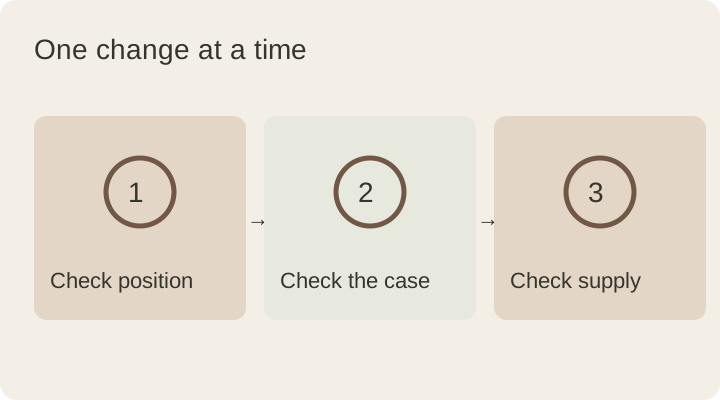
6. Change one thing at a time
| Trial | Change | Observe |
|---|---|---|
| A | Current setup | Does charging start and remain stable? |
| B | Correct the position | Do interruptions change? |
| C | Remove the case if permitted | Is the accessory involved? |
| D | Recommended adapter and cable | Is the connection stable? |
Note differences in starting percentage and room conditions. A few minutes of observation cannot establish an exact charging time or wattage.
7. Share useful details with support
Provide the phone model, software version, charger model, adapter information, case type and the circumstances in which charging stops. “It disconnects with the case but remains stable without it” is more useful than “it is slow.”
Read our wireless charging compatibility guide for the wider picture. For DESKIND enquiries, include the model in the contact form; there is no need to share a password or private account information.
This guide was prepared for DESKIND with AI assistance. Refer to the linked sources and your device manufacturer’s current instructions for technical details. Adapt layout suggestions to your own space.
Have a correction or question? Contact us.